
Template for Meeting Schedule: Run Meetings with Authority
You know the meeting before it starts. The invite is light on detail, the room fills with senior people, and within five minutes the conversation is sliding sideways. Someone opens with a status update, someone else argues about priority, and the person who sent the invite is left trying to recover control. A strong template for meeting schedule prevents that drift. It gives the meeting shape, signals authority before anyone speaks, and makes it easier to leave with decisions instead of polite confusion.
The point is not administrative neatness. A well-built schedule tells people what matters, who owns it, and how long the room will spend on it. That is why a meeting schedule works as an executive presence tool, not just a planning document. When the structure is clear, the leader looks prepared, the discussion stays bounded, and the group is more likely to act on the outcome.
Beyond Agendas How Schedules Command the Room
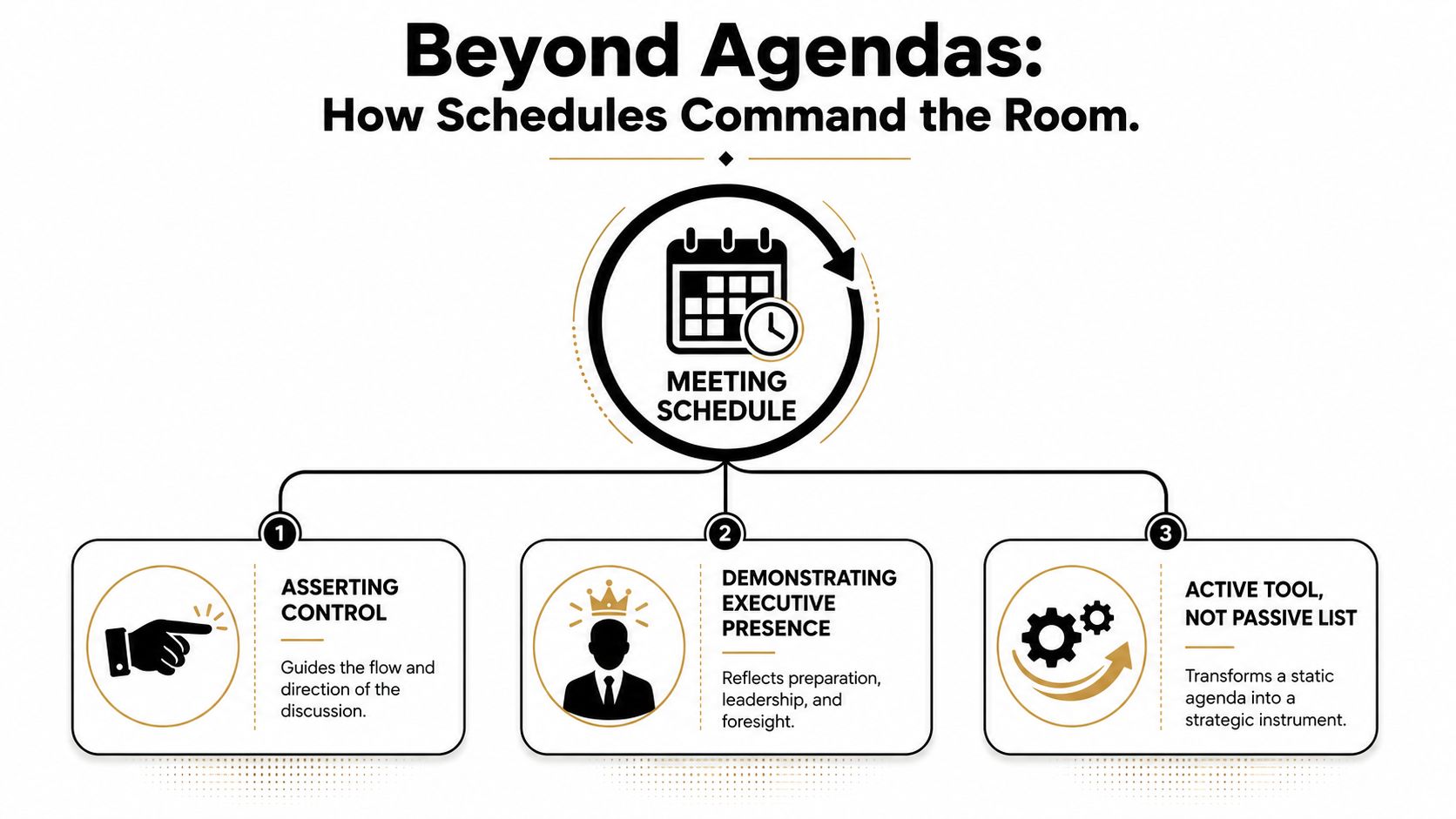
A weak agenda feels harmless until the meeting starts. Then it becomes obvious that nobody knows what the room is trying to decide, who should speak first, or when the discussion is supposed to end. That uncertainty drains authority fast, especially when senior stakeholders are watching for signs of control.
A stronger template for meeting schedule changes the psychology in the room. It does not merely list topics. It sets expectations, creates time pressure in a healthy way, and signals to participants that the meeting will be run, not wandered through. That matters because people respond differently when the schedule is specific, timed, and owned.
Practical rule: If the agenda cannot show purpose, order, and ownership, it is not yet a schedule worth sending.
What makes a schedule authoritative
A serious schedule includes the meeting goal, the people attending, the ordered discussion points, the time assigned to each item, the owner for each topic, and a clear place for action items. That structure aligns with practical guidance from Zoom, which frames a high-quality meeting schedule as a time-boxed execution tool rather than a loose list of subjects Zoom meeting agenda examples.
That shift matters at senior level. A timed schedule gives the leader a neutral object to point to when discussion drifts, which is often more effective than saying, “We need to move on.” It also lowers ambiguity for participants, because they can see whether the meeting is meant for decisions, input, or simple alignment.
A schedule also sets up the room before it fills. When people see owners, pre-reads, and finish times, they prepare differently. They arrive ready to contribute instead of waiting for the chair to define the problem live. For a deeper operational frame on this, see communication for managers.
Four Essential Meeting Schedule Templates
A schedule earns its place only when it fits the meeting in front of you. A 1:1, a weekly sync, a decision meeting, and a board update all demand different pacing, different detail, and different levels of control. The right template for meeting schedule matches the stakes of the conversation instead of forcing every meeting into the same mold.
| Meeting Template Quick Selector | Primary Goal | Key Focus | Best For |
|---|---|---|---|
| 1:1 Check-in | Build clarity and trust | Individual priorities, blockers, next steps | Manager and direct report conversations |
| Weekly Team Sync | Maintain momentum | Progress, risks, dependencies | Operating teams that need regular alignment |
| Decision-Focused Meeting | Reach a conclusion | Options, trade-offs, decisions, owners | Senior discussions with a clear outcome |
| Board or Executive Update | Create strategic visibility | Signals, priorities, executive questions | Leadership reporting and stakeholder reviews |
A strong meeting agenda template usually includes the meeting purpose, attendees, topics, expected length, and action items Asana meeting agenda. Practical templates also work better when they include time allocations, topic owners, and pre-reading materials, because that gives participants a clear standard for preparation and cuts down on wasted time.
1:1 Check-in template
Use this when the goal is coaching, alignment, or removing blockers. Keep it personal and direct.
- Purpose: Align on priorities and support the person in front of you.
- Attendees: Manager and direct report.
- Agenda: Wins, blockers, career or project topic, action items.
- Time: 30 minutes.
- Close: Confirm next steps and any follow-up owner.
This format works because it protects the relationship from turning into a status dump. It gives the employee room to raise what matters instead of waiting for the manager to guess. A 1:1 should feel like a real conversation with structure, not a checklist readout. For a good model of how concise professional communication supports that tone, see this written email example.
Weekly Team Sync template
Use this when the team needs a fast operating rhythm. The agenda should stay tight and disciplined.
- Purpose: Surface blockers and align on the week ahead.
- Attendees: The working team only.
- Agenda: Wins, project updates, blockers, priorities.
- Time: 30 to 45 minutes.
- Close: Assign owners for any shared follow-up.
This format works best when every update leads to a decision, a handoff, or a clear next step. If a topic does none of those things, it belongs in chat or in a document. A weekly sync also helps the leader project control, because people see that the meeting is built for progress, not for open-ended commentary.
Decision-Focused Meeting template
Use this when the room exists to choose, approve, or reject something. The schedule should make the decision point impossible to miss.
- Purpose: Decide on a specific issue.
- Attendees: Decision-makers and the people who own the input.
- Agenda: Decision statement, options, trade-offs, recommendation, decision.
- Time: 45 minutes.
- Close: Record the decision, owner, deadline, and next action.
This template is sharper than a generic agenda because it names the outcome before discussion starts. It helps prevent meetings where everyone shares thoughts but nobody commits. If the invite does not make the decision explicit, the meeting usually drifts into analysis without resolution. A decision-focused schedule shows executive presence because it tells the room what kind of contribution is required before the first person speaks.
Board or Executive Update template
Use this when the audience needs strategic visibility, not a long operational lecture. The structure should stay concise and high-signal.
- Purpose: Inform senior stakeholders and surface risks early.
- Attendees: Executives, board members, key presenters.
- Agenda: Strategic headline, key metrics or signals, risks, decisions needed, action items.
- Time: 20 to 30 minutes per topic block, depending on complexity.
- Close: Summarize what needs approval, discussion, or escalation.
This template works best when it is selective. Senior rooms do not need every detail. They need the few items that affect direction, risk, or resourcing. That is why a schedule like this should feel compressed, not verbose. In a board or executive setting, the schedule is part of your authority, because it sets the tone before the discussion even starts.
Customizing Your Template for Maximum Impact
A schedule only starts working when it matches the meeting in front of you. Generic headings look tidy on paper and fail in the room, because senior discussions rarely reward vague structure. Precision carries authority.
Use time to signal priority
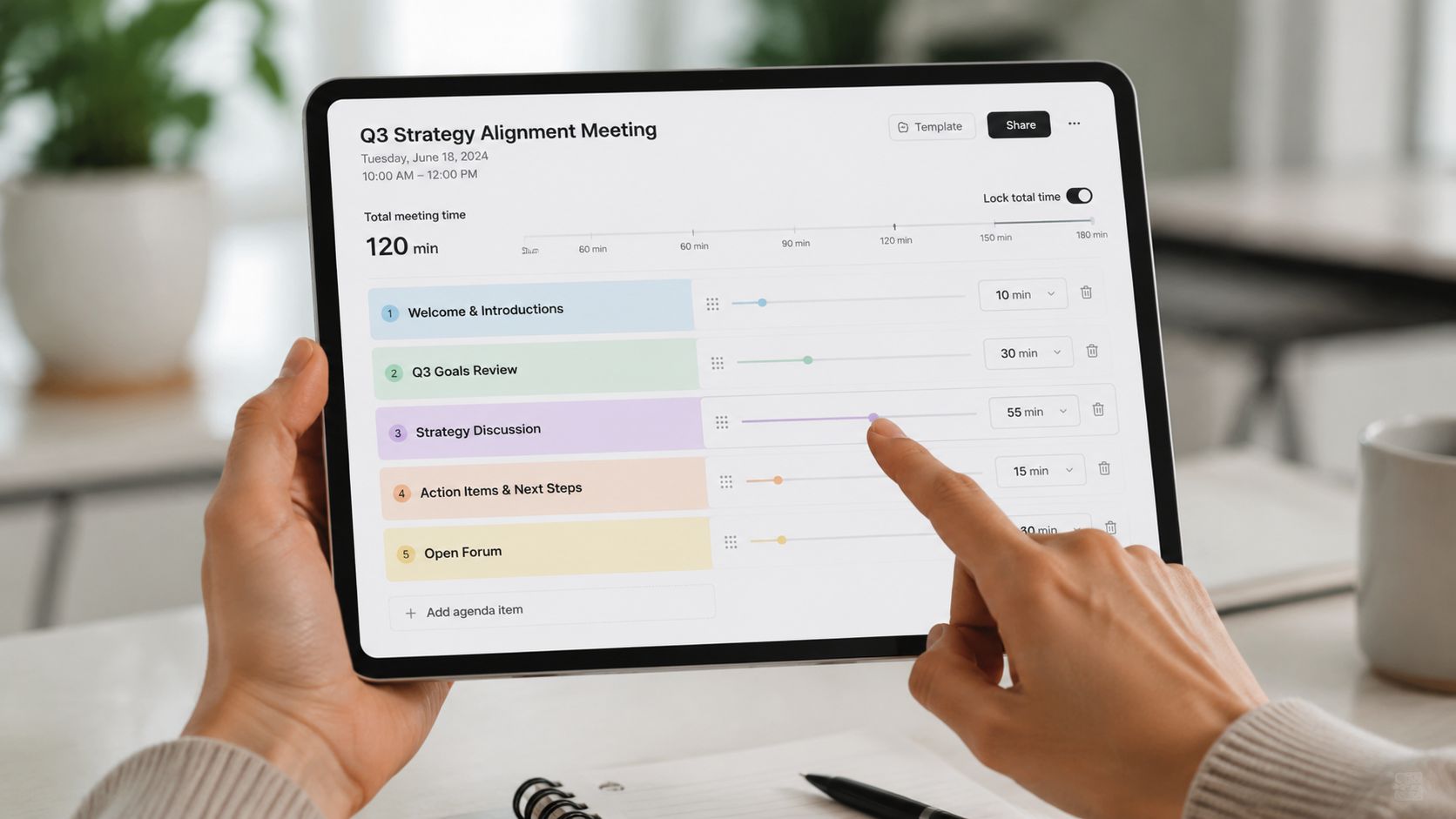
Short blocks tell people a topic matters, but it should not dominate the meeting. Longer blocks tell the room where discussion needs room to breathe. Microsoft's editable schedule templates support that kind of reuse, with dates, tasks, and assignments refreshed for each period Microsoft schedule templates.
The wording should tighten as the stakes rise. “Marketing Update” invites narration. “Decide on Q4 Marketing Budget Allocation, 15 mins, pre-read required” names the outcome, the time, and the preparation standard. That is the difference between a topic list and an executive schedule.
Assign roles before the meeting starts
Every meaningful meeting runs better when roles are clear before anyone joins. The facilitator is not always the best presenter, and the note-taker should not be assigned on the spot. Reusable templates help because they make those responsibilities visible in advance, which supports repeatability and coordination across teams Microsoft schedule templates.
A practical role structure usually includes:
- Facilitator: Keeps the meeting moving and returns the room to the agenda.
- Presenter: Owns a specific topic or decision point.
- Note-taker: Captures decisions, owners, and deadlines.
- Timekeeper: Flags when a block is nearing its limit.
Use those roles when the meeting is messy, cross-functional, or high stakes. Leave them out only when the conversation is small and informal enough that formal assignment would feel stiff. That judgment matters.
A schedule gets stronger when it tells people not only what to discuss, but who is responsible for each part of the room.
If you need a practical reference for how a clear structure changes the quality of coordination, the internal guide on how to set up a conference call shows the same principle in a different format. Clear purpose beats vague language every time.
For teams that want more support in keeping meeting logistics under control, Superchat for modern scheduling can help reduce friction around coordination and follow-through.
Advanced Tactics for High-Stakes Meetings
Senior meetings go off track when they are handled like ordinary status calls. The room usually carries too many competing priorities for a standard agenda to do the job. In that setting, the schedule has to be more deliberate, more selective, and more protective of decision time.
Put critical decisions early
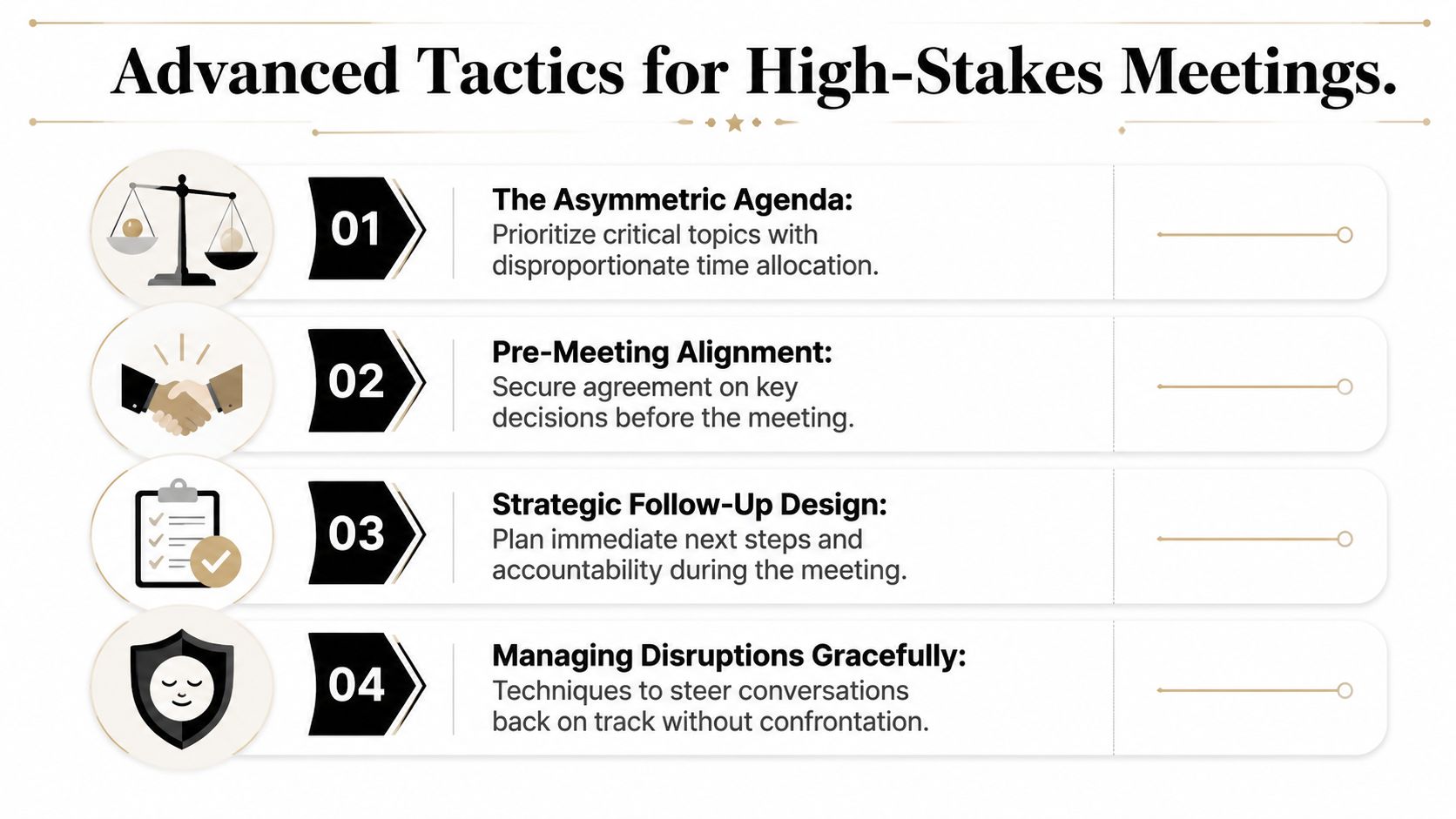
For senior-team meetings, the strongest schedule is asymmetric by priority. Put informational items ahead of discussion topics, and place the most important decisions near the top so they still get handled if the meeting runs short. That order is not cosmetic. It protects the room from time pressure and keeps attention on the decisions that matter most.
Pre-reads should also be required. Circulating supporting materials in advance shifts the meeting from information-sharing to decision-making. If people walk in cold, the first part of the meeting becomes catch-up time instead of decision time.
Use the schedule to manage dominant voices
A timed schedule is one of the clearest ways to handle someone who keeps expanding the discussion. Instead of arguing with the interruption, point back to the agenda block and the owner. That keeps the correction procedural rather than personal.
For moments that need softer wording, structure works better when it is paired with diplomacy. The internal guide on how to be diplomatic is relevant here because strong leaders can redirect firmly without creating unnecessary friction. If you also want a practical way to reduce the admin load of coordinating these meetings, Superchat for modern scheduling is worth reviewing as a scheduling reference point.
Keep the room honest by returning to the clock, the owner, and the decision, not to personality or hierarchy.
The goal is not to make meetings rigid. The goal is to keep important work from being swallowed by the loudest voice in the room. When the schedule is built this way, the chair protects the outcome without sounding combative.
Closing the Loop and Reinforcing Accountability
A meeting is only as strong as the follow-through. If the schedule ends without clear owners, deadlines, and a recap, the authority of the meeting leaks out the moment people leave the room. That is why the final block matters so much.
Finish every serious meeting with a short recap of what was decided, who owns each action item, and what needs to happen next. A five-minute close is usually enough if the schedule has done its job earlier. It keeps commitments visible and prevents the common failure where everyone agrees in the room but nobody can remember the agreement later.
The same discipline should show up in the record. The internal communication audit template is useful if you want a cleaner way to review how your meetings sound, where they drift, and which patterns keep undermining authority. That kind of review helps you spot whether the schedule is driving outcomes or merely organizing conversation.
For professionals who want to command authority not just in meetings but across senior interactions, The Gravitas Method is a 12-week one-on-one executive presence coaching program for international professionals who want to communicate with more authority and influence at senior levels. The program is priced at $8,200 paid in full or $9,000 across three installments. Coached by Nikola, it covers vocal authority, strategic framing, executive body language, and high-stakes communication.
A CTA for Intonetic. Start with the free Executive Communication Assessment to see where your meeting presence is weakening, then use the results to tighten how you plan, lead, and close senior-level conversations.