
How to Set Up Conference Call: Executive Guide 2026
You join on time, but the meeting still starts badly. The wrong link is in one inbox, a senior stakeholder is dialing in from a car with poor audio, and the host is filling silence by asking whether everyone can see the deck. Before anyone discusses the core issue, the call has already signaled who is in control and who is not.
Knowing how to set up a conference call now sits squarely inside executive communication. Virtual meetings are no longer a side channel for routine updates. They are where clients test confidence, managers read judgment, and teams decide whether to trust the person leading the conversation.
I have seen capable professionals lose authority in the first minute, not because their ideas were weak, but because their setup was careless. The invite, the timing, the audio quality, the backup plan, and the first 30 seconds all send a message. Strong business communication habits show up before anyone gets to the agenda.
The technical steps matter. So does the intent behind them.
A well-run conference call does more than connect people. It creates the conditions for clear decisions, fewer interruptions, and a calmer, more credible presence under pressure. For a practical baseline, these tips for effective conference calls cover the mechanics. The bigger point is that setup is not clerical work. It is part of how leaders project authority.
Beyond the Button Navigating Modern Conference Calls
A conference call can lose the room before anyone reaches the agenda. The host is searching for the right tab, one participant cannot open the link, and a senior stakeholder has already decided the meeting will be harder than it should be.
That is why setup belongs in the same category as executive communication, not clerical prep. The platform matters. So do the choices around timing, access, documents, and the first minute of the call. Strong business communication habits show up before the discussion starts. For a practical baseline on the mechanics, these tips for effective conference calls cover the fundamentals.
What people notice before you speak
Participants read signals fast. They notice whether the invite answers basic questions. They notice whether supporting materials are ready. They notice whether the host opens with a clear purpose or starts by troubleshooting in public.
A conference call starts before the host clicks “Join.”
In senior settings, those details carry meaning. A messy opening suggests weak judgment about preparation. A calm, structured opening suggests control, respect for other people's time, and confidence under pressure.
The Strategic Shift
Conference calls used to sit on the edges of work. Now they are where approvals happen, tensions surface, and decisions get made with little patience for wasted motion.
Knowing how to set up conference call routines well is not about avoiding minor embarrassment. It is about creating the conditions for clear decisions and steady authority. I have seen strong leaders recover from a tough question. I have also seen capable professionals lose credibility because the basics around access, pacing, and ownership were loose from the start.
A strong call rests on three connected layers:
- Technical access: Participants join quickly, hear clearly, and have a backup option if the primary connection fails.
- Meeting architecture: The objective, flow, and decision points are clear before discussion drifts.
- Executive presence: The host sets tone, handles interruptions, and keeps the conversation pointed toward an outcome.
Plenty of articles stop at the software steps. Senior professionals need the software steps and the communication judgment behind them.
Laying the Technical Foundation for a Flawless Call
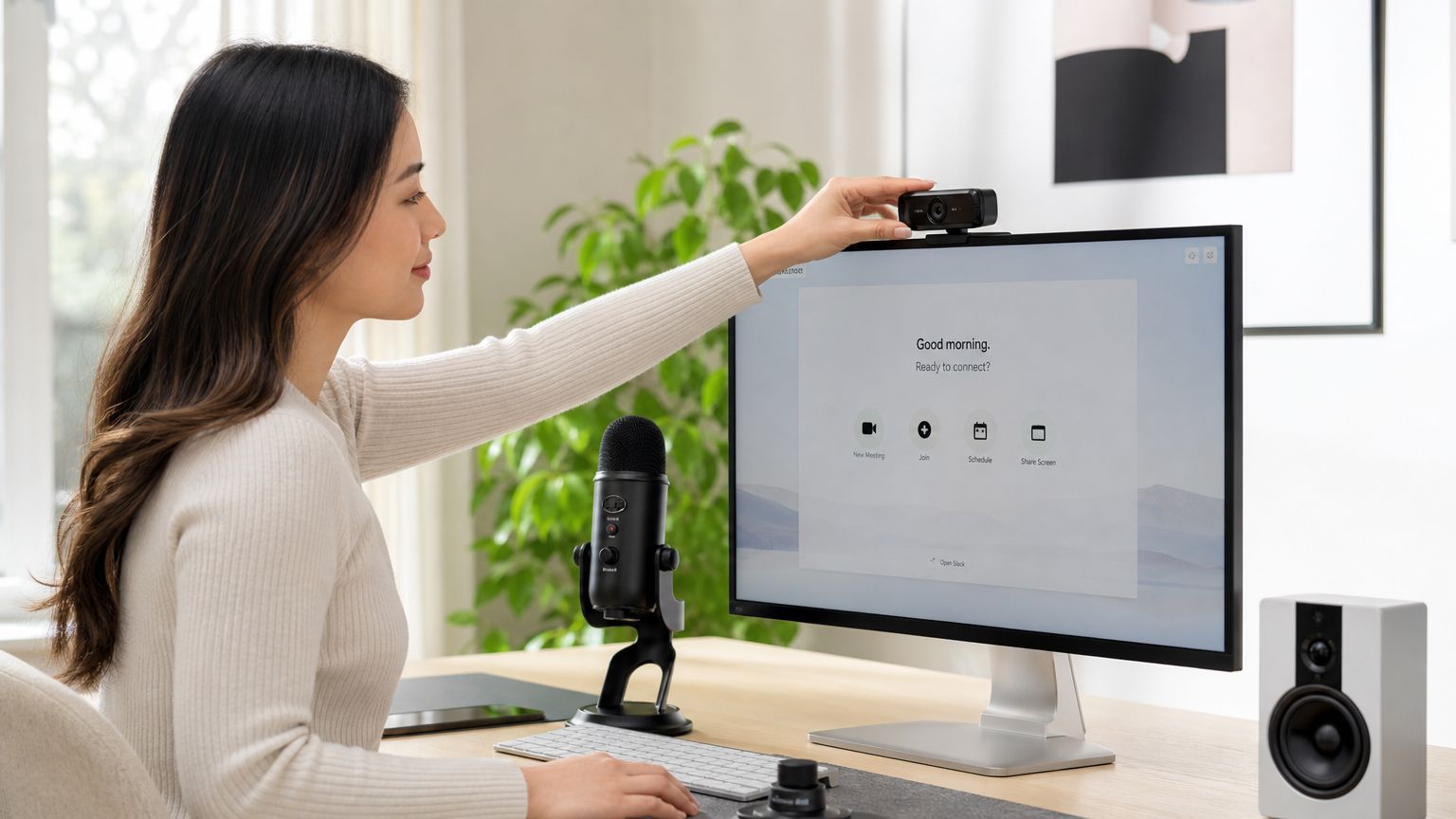
A weak technical setup creates doubt before content has a chance to land. That doubt is expensive. 62% of meeting failures are directly attributed to technical setup issues, including incorrect audio selection and untested hardware, rather than the content itself.
Choose the platform for access, not habit
Teams often default to Zoom, Microsoft Teams, or Google Meet because that's what they already use. That's fine for internal calls. It's not enough for external or international meetings.
Use this decision lens:
| Situation | Better priority |
|---|---|
| Internal team call | Use the platform your team already knows |
| Executive or client meeting | Choose the platform with the fewest access barriers |
| International participants | Prioritize dial-in access and simple joining steps |
| Unstable connectivity risk | Favor an audio-first setup with a fallback option |
For international calls, access issues often have nothing to do with professionalism and everything to do with local restrictions, bandwidth, or corporate security policies. If participants are joining from regions with stricter internet controls, it helps to understand options like a reliable VPN for China in 2026 before the meeting day, especially when your normal meeting workflow may not behave predictably.
Build in a fallback
For high-stakes calls, don't send only a browser link. Include a phone dial-in option too. That one decision reduces stress for guests joining from airports, cars, weak Wi-Fi, or locked-down company devices.
A browser link says convenience. A dial-in number says contingency planning.
Practical rule: If losing one attendee would materially weaken the meeting, give them more than one way to join.
Your microphone matters more than your camera
Many professionals obsess over the webcam and ignore the mic. That's backwards. People forgive average video. They don't forgive muddy, distant, or crackling audio.
Before the call, check these in the platform settings:
- Correct input device: Your laptop may default to the wrong microphone.
- Speaker output: Test whether alerts or notifications will blast through shared audio.
- Noise environment: Turn off fans, close windows, and silence nearby devices.
- Camera framing: Eye level is enough. Cinematic lighting isn't required.
For mobile direct-dial conference calls, the standard workflow is to connect the first participant, tap Add Call, dial the next person, and then tap Merge Calls. Some smartphones cap conference calls at 5 participants, while enterprise systems can support expansion through controls like Add Participant and Start Conference (mobile conference call workflow).
If your pronunciation tends to blur under pressure or through compressed audio, targeted practice also helps. Clearer delivery on calls often comes from small adjustments in pacing, stress, and consonant precision, especially for international professionals working on speaking English more clearly on video calls and presentations.
A short walkthrough helps if you're training others on the basics:
Scheduling and Inviting with Strategic Intent
The calendar invite tells people what kind of meeting this will be. A vague subject line and a bare link signal drift. A clear invitation signals leadership.
Microsoft reports that employees spend more time in meetings than before the pandemic, which is why meeting overload and fragmented calendars now shape whether people arrive focused or resentful (GoTo guidance on conference-call planning). Good scheduling isn't clerical work. It's part of running a disciplined organization.
Time zone fairness is a leadership decision
Global teams often default to whatever time works for headquarters. That creates silent resentment fast.
A better approach is simple:
- Rotate pain when the meeting recurs: If one region joins early this week, another region takes the inconvenience next time.
- Protect local extremes: Avoid routinely scheduling at the edge of someone's day unless the issue is urgent.
- Set a join window: Tell people whether they should log in exactly on time or within a short buffer, especially when several regions are involved.
Fairness in scheduling is one of the fastest ways to earn trust on a distributed team.
What the invitation must contain
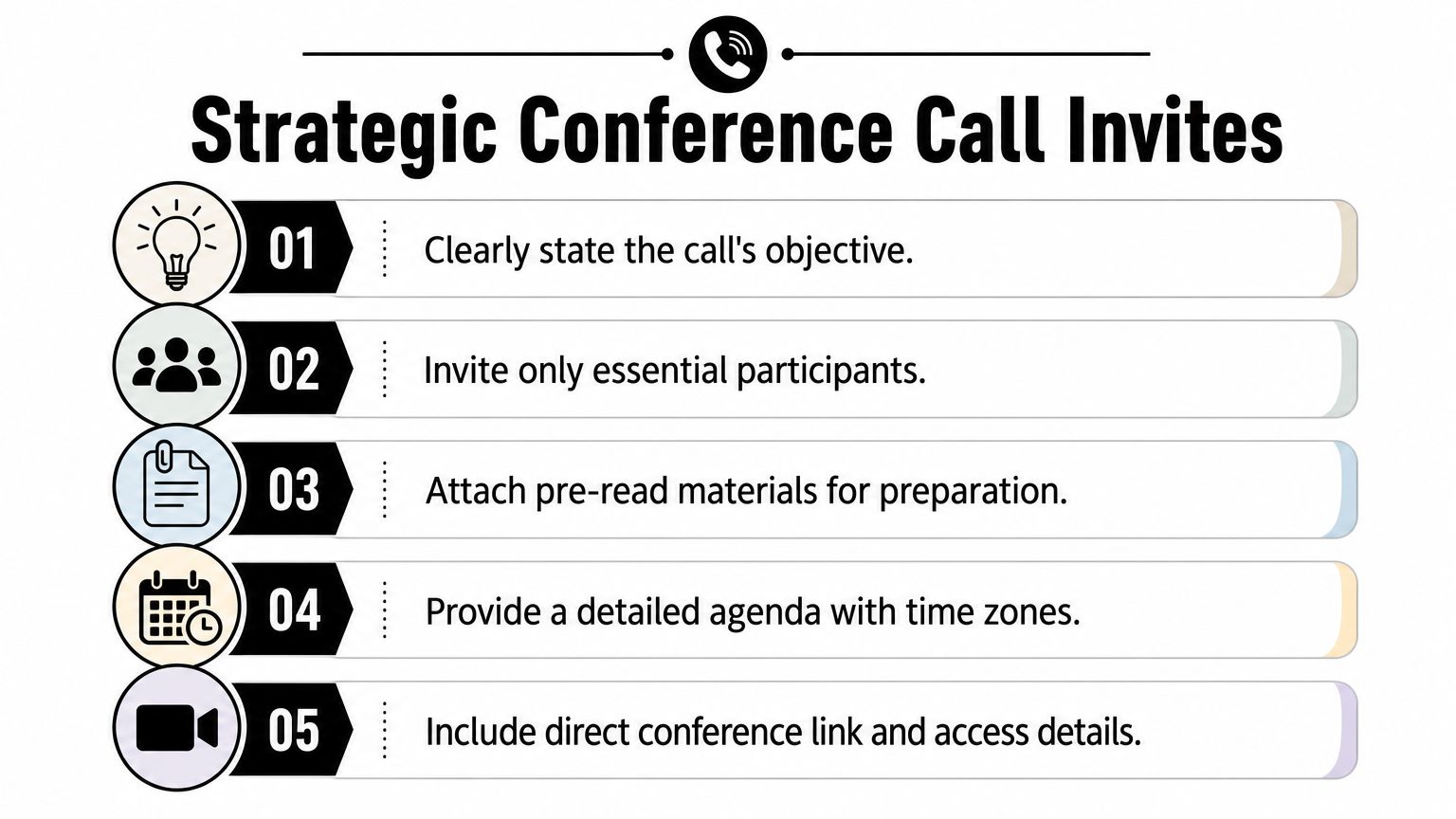
A strong invite does five things well.
-
States the decision or purpose
“Q3 roadmap review” is weak. “Decide launch scope for Q3 roadmap” is better. People need to know whether they are attending to approve, discuss, advise, or report.
-
Names only the necessary participants
Invite people who contribute directly or need the outcome. Extra attendees dilute accountability and usually reduce candor.
-
Includes a short agenda with time allocations
This tells participants what matters most and what can be parked.
-
Attaches pre-read material
If a document is essential, attach it. Don't assume people will search for it or remember an earlier thread.
-
Provides complete access details
Include the direct meeting link, dial-in information if relevant, and any passcode or joining note that removes friction.
If you want examples of professional invite wording, concise subject lines, and useful follow-up phrasing, these business email samples for workplace communication are a solid reference point.
Your Pre-Call Checklist for Executive Impact
The five minutes before a call often determine how the first five minutes feel. Professionals who treat that window casually usually enter with divided attention. Professionals who use it deliberately sound grounded from the first sentence.
A written agenda that specifies the meeting objective, speaking order, and time allocated to each topic helps reduce drift and keeps the call decision-focused (agenda guidance from Branded Bridge Line). But an agenda alone doesn't create authority. Authority comes from visible readiness.
The ritual that changes your presence
Run the same pre-call sequence every time. Repetition removes panic.
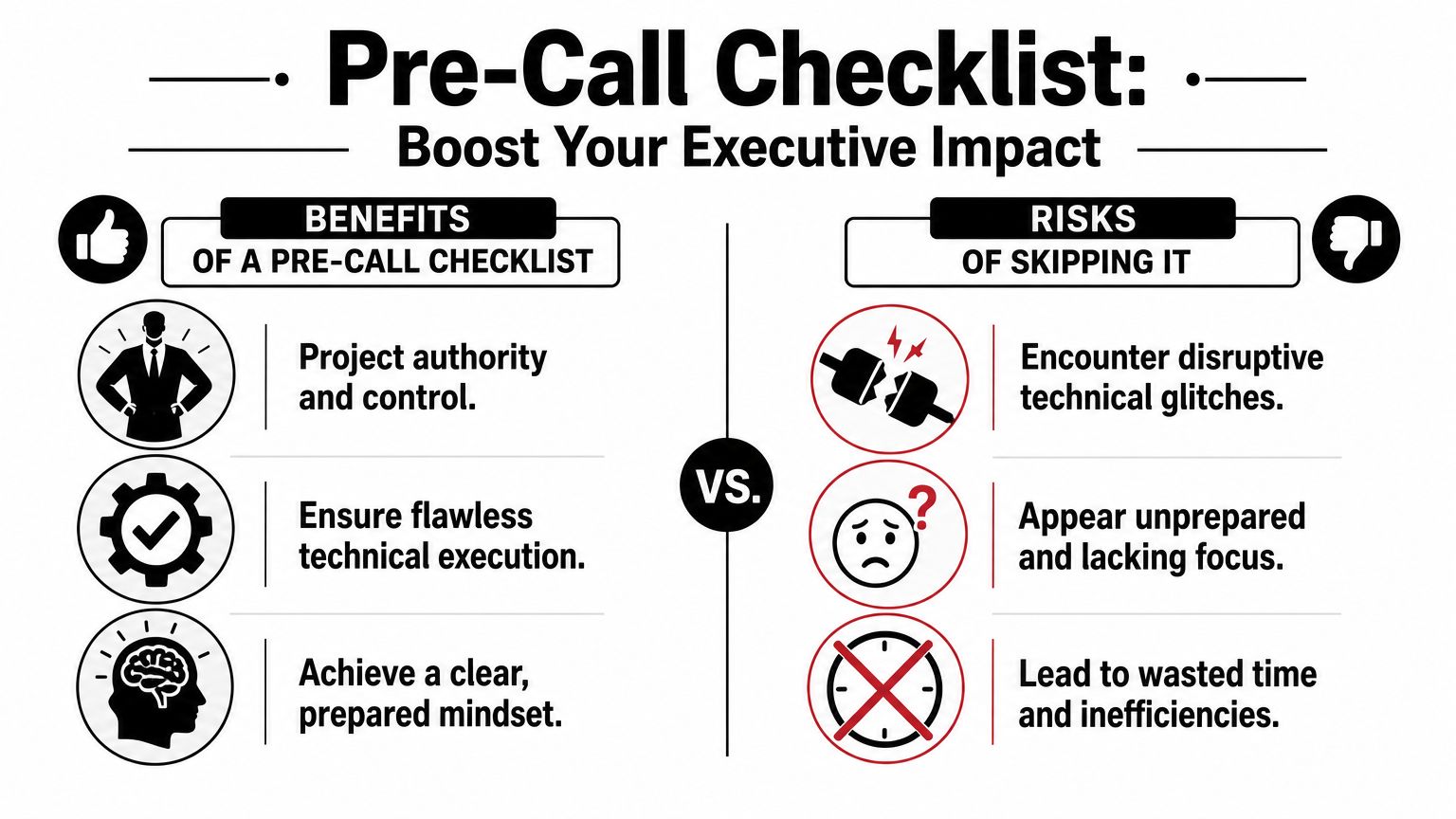
Use a checklist like this:
- Re-enter as the host, not as a participant: Close unrelated tabs, mute notifications, and open only the documents you'll need.
- Test your opening line aloud: Don't just think it. Say it once. Spoken language reveals awkward phrasing quickly.
- Confirm the one decision that matters most: If discussion becomes messy, this gives you a way to pull the room back.
- Assign informal roles: Decide who will capture notes, who will keep time, and who needs to speak early.
- Check your physical frame: Camera at eye level if using video. Shoulders relaxed. Chin neutral. Voice warm but firm.
Why this matters more than people think
Participants read your state before they process your argument. If you look rushed, they expect confusion. If you enter settled and specific, they assume competence.
Preparation is visible. So is the lack of it.
This is also where communication coaching can be useful when the issue isn't only technical. The Gravitas Method is a 12-week one-on-one executive presence coaching program for international professionals who want to communicate with more authority and influence at senior levels. The program is priced at $8,200 paid in full or $9,000 across three installments. Coached by Nikola, it covers vocal authority, strategic framing, executive body language, and high-stakes communication.
For professionals who want to sharpen their vocal setup before important calls, targeted voice lesson exercises for clearer professional speech can support the same pre-call discipline.
If you want another useful lens on preparation, this practical guide on how to optimize meeting productivity pairs well with a strong host checklist.
Commanding the Room During the Call
Once the call starts, setup becomes presence. At this stage, professionals either gain authority or give it away.
The opening matters most. State the purpose. Name the decision. Set the path. People relax when they know who is steering.
Open with structure, not chatter
A weak opening sounds like this: “Let's wait another minute and see who joins.” A stronger opening sounds like this: “Thanks for joining. We're here to decide X, review Y, and leave with owners for Z.”
That doesn't sound rigid. It sounds competent.
Try this opening sequence:
| First minute move | Effect on the room |
|---|---|
| Welcome and purpose | Reduces ambiguity |
| Agenda in one sentence | Signals discipline |
| Speaking order or first handoff | Prevents awkward overlap |
| Decision framing | Keeps debate from drifting |
Manage interruptions without losing composure
Good hosts don't avoid interruption. They manage it cleanly.
If one person dominates, interrupt politely and specifically: “I'm going to pause you there so we can hear the operations view as well.” If someone keeps circling, anchor the room: “I think we have the issue. Let's move to the decision.”
Quiet participants often need a direct invitation. Don't ask, “Any thoughts?” Ask, “Maria, from the client side, what risk do you see?”
The host's job isn't to speak the most. It's to keep the discussion usable.
Use your voice as a leadership tool
Authority on a conference call comes less from volume and more from pacing, emphasis, and silence. Fast speech reads as nerves. Flat speech reads as uncertainty. Endless speech reads as weak judgment.
Use these vocal adjustments:
- Slow down on key decisions: Important lines need space around them.
- Drop your pace after interruptions: This restores control.
- Pause before the conclusion: A short silence signals that what follows matters.
- Land the sentence cleanly: Don't let your voice drift upward unless you're asking a question.
If your audience depends on your verbal delivery more than your slides, these habits are central to how you engage the audience in high-stakes communication.

When video hurts more than it helps
Many professionals assume video automatically looks more executive. Not always. For many high-stakes calls, a simple, reliable audio-first configuration can outperform video when bandwidth is unstable, because credibility depends more on clarity than on forcing a glitchy image (audio-first setup perspective).
If your connection is unstable, say so early and make the call yourself. Turn video off if needed. Keep your audio strong. Speak with intention. A clean voice with a clear structure beats frozen video and fragmented sentences every time.
Closing the Loop After the Call
A conference call isn't finished when people click leave. It's finished when decisions are documented, owners are clear, and the next move is unmistakable.
Send a short summary soon after the meeting. Keep it practical. List the decisions made, the action items, who owns each one, and any deadlines that were agreed. If no real decision was reached, say that too. False clarity creates more damage than open uncertainty.
This follow-up does two things at once. It protects execution, and it strengthens your reputation. People remember the host who turns a conversation into movement.
It's also worth reviewing your own performance while the call is still fresh. Did the opening feel clean? Did the agenda hold? Did anyone get lost, steamrolled, or confused? Small adjustments compound over time, especially if you regularly lead calls across functions, cultures, and time zones.
Mastering how to set up conference call routines is really about mastering the whole chain. Access, timing, structure, delivery, and follow-through. When those pieces work together, the meeting stops feeling like a technical event and starts working like a leadership tool.
If you want a clearer read on how you come across in meetings, presentations, and senior conversations, start with Intonetic's free Executive Communication Assessment. It's a practical first step for identifying where your vocal delivery, structure, and presence may be helping you or holding you back.